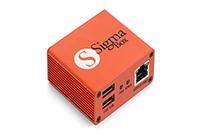
![Infinity [CM2] Online/Digital 24 Hours](/media/cm2-dongle.png)
Infinity [CM2] Online/Digital 24 Hours
Price
Login to show
Delivery
Instant
Status
Online
You must agree before submitting.
#CM2 Online/Digital Version:
How to use #CM2 Online/Digital Version?
Download, unpack (7-zip with password 1111), install and run it.
Software ask for Username, enter Username/Password and restart exe.
Ready to work.
NOTE:
- Account is linked to PC, PC can be changed every 6-8 hours
- Only #CM2MT2.exe and #CM2SP3.exe works this way
- Latest #CM2MT2 and #CM2SP3 ask for Username right after start "out of the box".
To run previous software versions of CM2MT2 and CM2SP3 copy settings.ini file to directory with CM2, after that you will see Username request.
- Software can not run once subscription time is expired
- Legacy #Infinity software do not work this way
- Support plan with more long time, f.e. 6 month or 1 year will be available short time later